How to Turn an Apple Music or YouTube Music Playlist Into a CD or Cassette
Your playlist lives in Apple Music or YouTube Music. Now you want it on a disc or a tape. Here is what actually works.
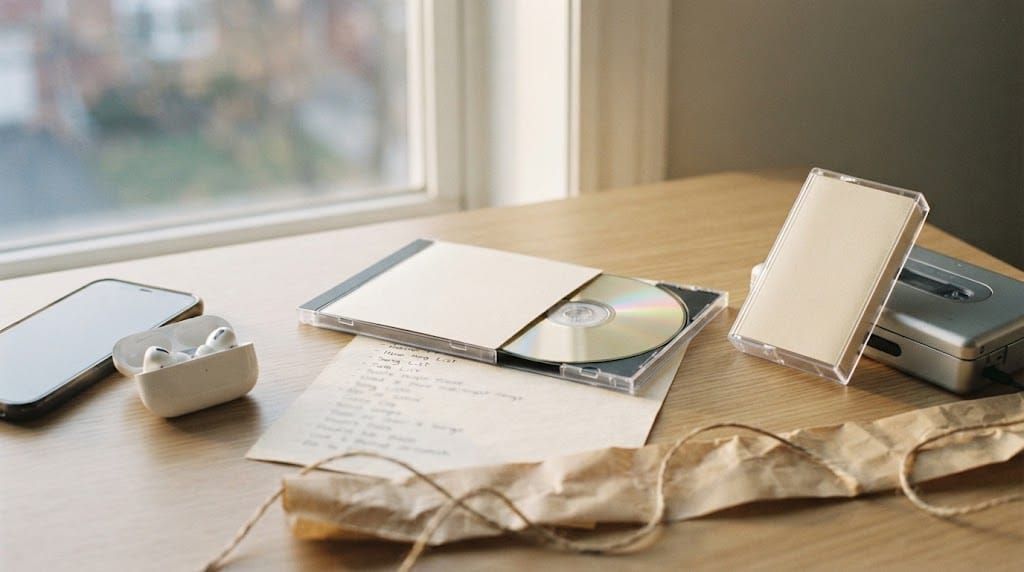
You've built the playlist. Maybe it's the songs from your first year together, a soundtrack for your dad's birthday, or the music that got you through a long winter. It lives in Apple Music or YouTube Music, and now you'd like it to live somewhere else too: on a disc in the car, on a tape in someone's hands, on a shelf where it won't get lost among a hundred other playlists.
So you look for a button that says burn, export or save to CD. And there isn't one, or there is, and it doesn't work the way you expected. Here's what's actually possible, and the routes that get your playlist onto a CD or cassette.
The short answer
You can't burn songs streamed from an Apple Music or YouTube Music subscription directly to a CD or record them legitimately onto a cassette. Both services give you permission to listen, not files you own. Even songs downloaded for offline listening stay locked inside the app and stop working if the subscription ends.
What you can do is use the playlist as your tracklist and get those same songs onto a disc or tape another way. There are three honest routes, and they suit different people.
Why Apple Music won't burn your playlist
This one confuses a lot of people, because the Music app on a Mac and iTunes on Windows still have a "Burn Playlist to Disc" option. The catch is that it only works with songs you actually own: tracks you bought from the iTunes Store or ripped from your own CDs. Songs that are only in your library through an Apple Music subscription are protected, and the app won't write them to a disc.
So if your playlist mixes purchased songs with streamed ones, you'll find that only the purchased ones make it onto the CD. If it's entirely streamed, nothing will.
Why YouTube Music has no option at all
YouTube Music is simpler, and stricter. There's no burn or export feature on any plan. Downloads are only for offline listening inside the app, and they can't be moved, converted or written to a disc.
You'll come across websites and apps that promise to convert YouTube or Apple Music playlists to MP3. They work by ripping or recording the stream, which goes against both services' terms of use, and the sound quality is often poor. They aren't a route worth building a gift on.
Route one: buy the songs you need
The most direct home option is to buy the tracks. If you use Apple Music, the iTunes Store is right there in the same app, and the songs you purchase there can be burned. Other stores that sell music downloads work just as well. Once you own the files, your playlist becomes something a CD burner can work with.
This is fine for a short playlist. For twenty songs it adds up, and occasionally a track won't be for sale anywhere, especially live versions or regional releases.
Route two: use music you already own
If some of the songs are on albums sitting on your shelf, you can import those CDs into your computer and combine them with tracks you've bought. It takes a little patience, but it's how mix CDs were always made.
Either way, you'll need a computer with a CD drive, which most modern laptops no longer have, so that usually means an external USB burner and a few blank CD-Rs. Choose "audio CD" rather than "MP3" or "data disc" when the software asks, so it plays in any CD player, including in older cars. Keep an eye on the length, too: a standard CD holds about 80 minutes, usually eighteen to twenty songs.
A cassette at home is more of a project. You'll need a working deck that records, blank tapes, and the songs as files you own, then you record each side in real time.
Route three: have it made for you
The third option skips the burner, the files and the blank discs entirely. You keep building your playlist in Apple Music or YouTube Music exactly as you do now, then use it as the tracklist for a custom CD or cassette. The songs are put in your order, given a cover and an insert, and arrive as a finished disc or tape that plays in any player.
This is the route most people choose when the playlist is meant as a gift. It's the same idea behind turning a Spotify playlist into a physical gift, and the process works the same way whatever app you use. If you're deciding which format suits the person best, here's a comparison of custom cassette vs custom CD.
Before you turn it into a disc or tape
A streaming playlist and a physical mixtape aren't quite the same thing. Playlists grow, shuffle and sprawl. A CD or cassette has a beginning and an end, and that limit is useful.
Trim the list to what really matters, then think about the order. Start with something they'll recognize in seconds, keep the quieter, more personal songs for the middle, and end with the one you most want them to remember. There's a guide to how to pick the right song order for a mixtape gift if you'd like the sequence to carry some weight.
If you use Spotify too, or are helping a friend who does, the same questions come up there, and here's the answer to whether you can burn a Spotify playlist to a CD.
The hard part is already done
Choosing the songs is what takes the time and the care. You've done that. Getting them off a screen and into someone's hands should be the easy part.
When you're ready, start creating your own mixtape.


